Hihira Weteoro
2025 Hihira Weteoro assessment application
Overview
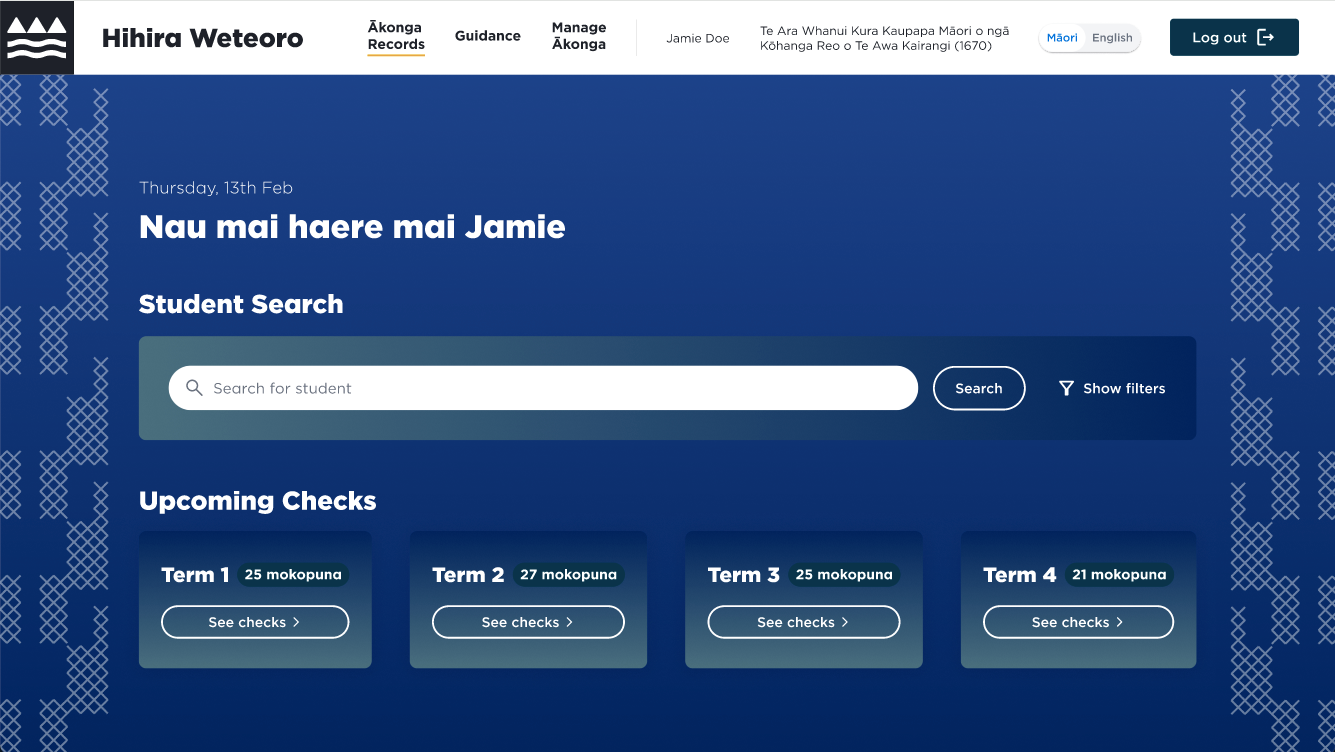
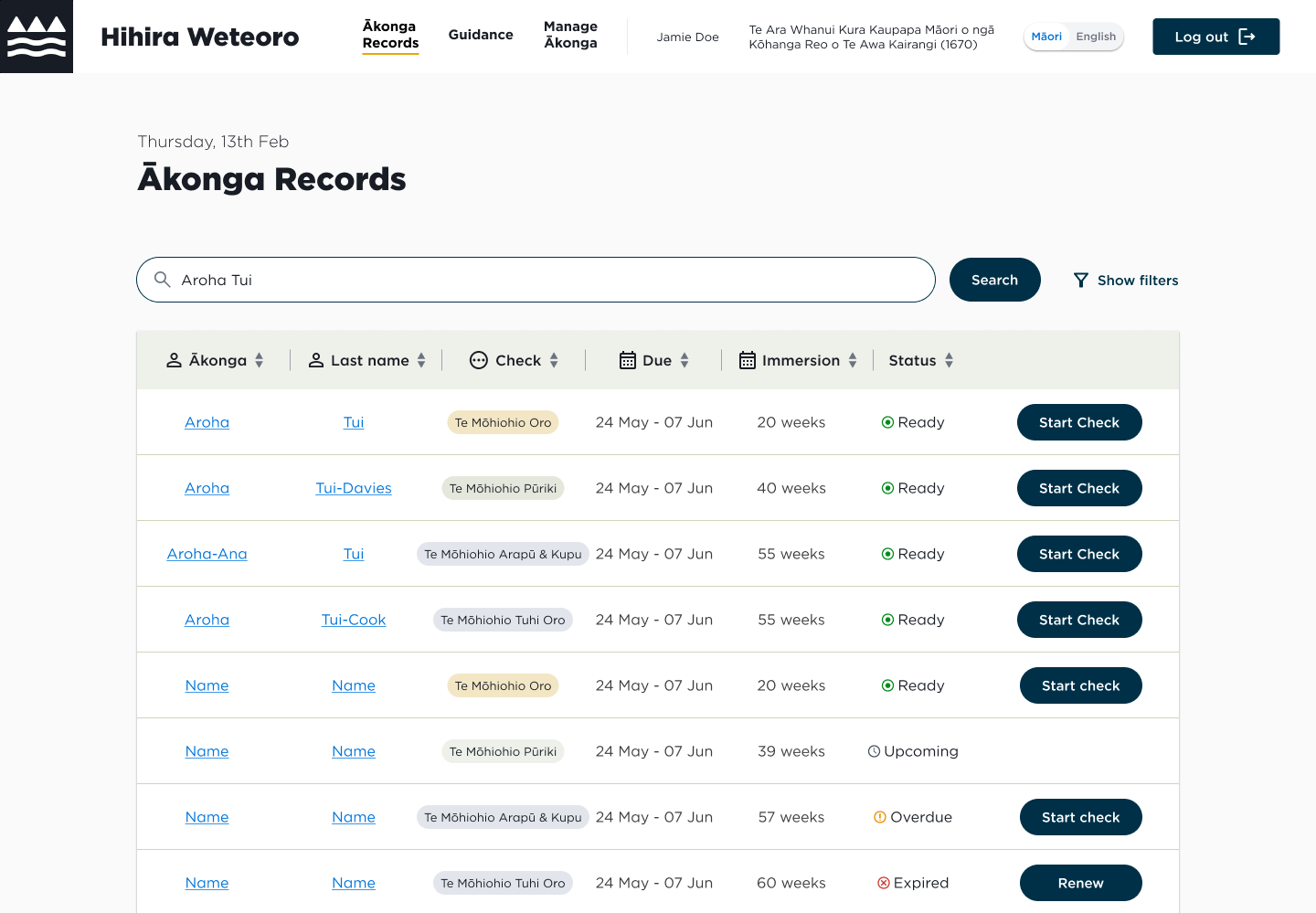
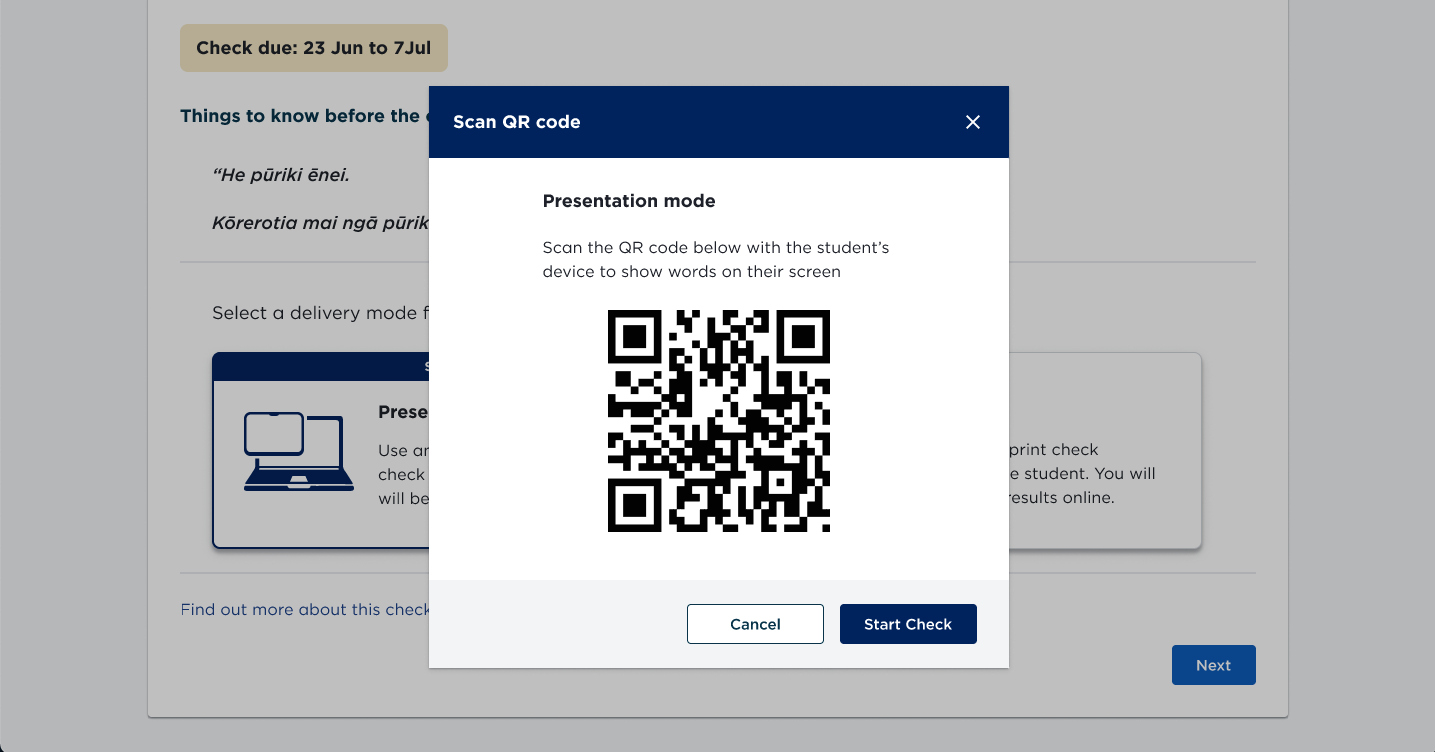
Hihira Weteoro is a web application that allows kaiako to administer Hihira Weteoro checks, record results, and see ākonga assessment insights. The application UI and user flow is based on Phonics Checks, which is the english medium equivalent of this assessment.
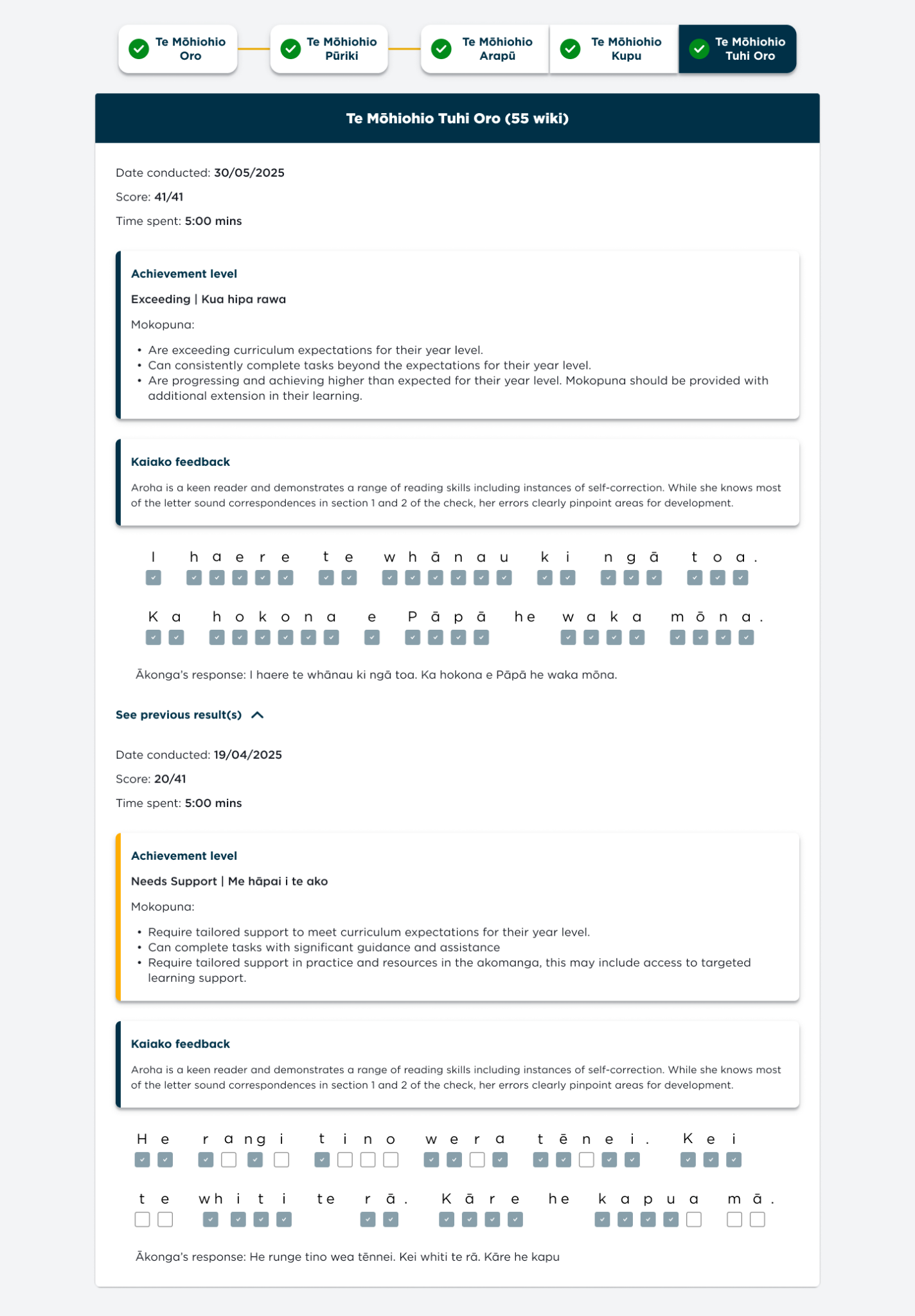
It is the digital solution to the previous paper-based model that is used by teachers. Since the assessment is very data-heavy and required a lot of manual inputting with the paper-based version, a web application solves this issue, allowing teachers to carry out phonics checks easily with much of the process being automated. Digitisation also allows for more consistent reporting, as all check results will be sent to the Ministry of Education.
My role was to design the interface based around programme requirements, as well as user test the design to validate the user experience.
Background
Hihira Weteoro was introduced in kura and schools that teach speaking and writing through te reo Māori. The programme gives kaiako important insights into how well mokopuna are progressing with learning te reo Māori and provides opportunities to celebrate progress and achievement while identifying any areas of learning support that may be needed to help children progress as expected.
Assessments are carried out at 20 weeks, 40 weeks, and 55 weeks after starting school. Hihira Weteoro are short assessments that helps kaiako identify how well mokopuna can distinquish sounds, identitfy letters, and write sentences.
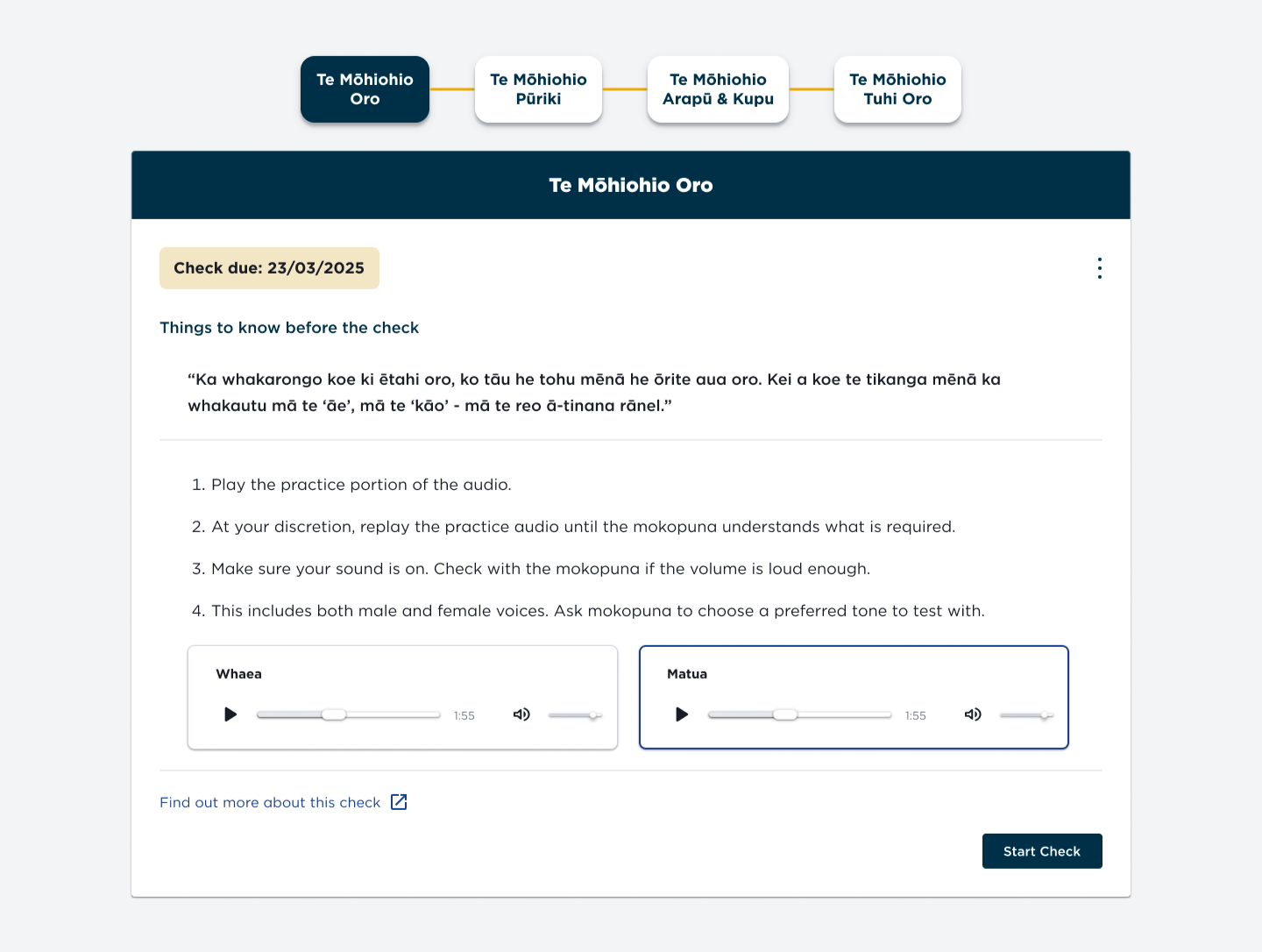
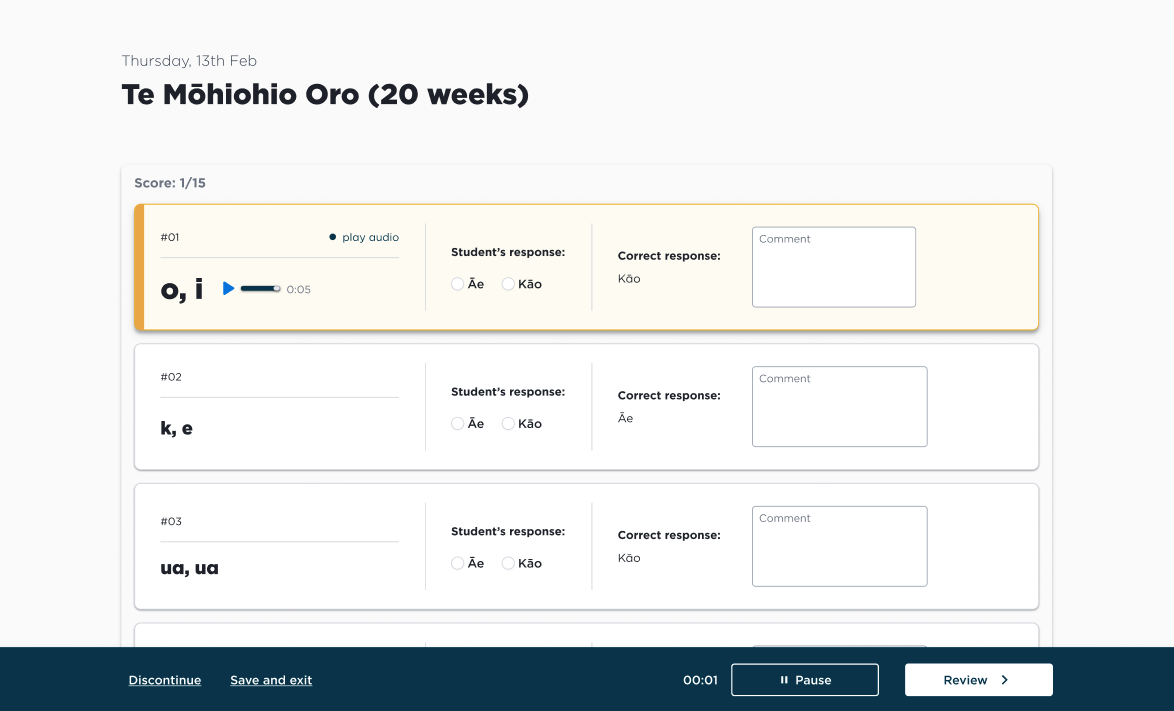
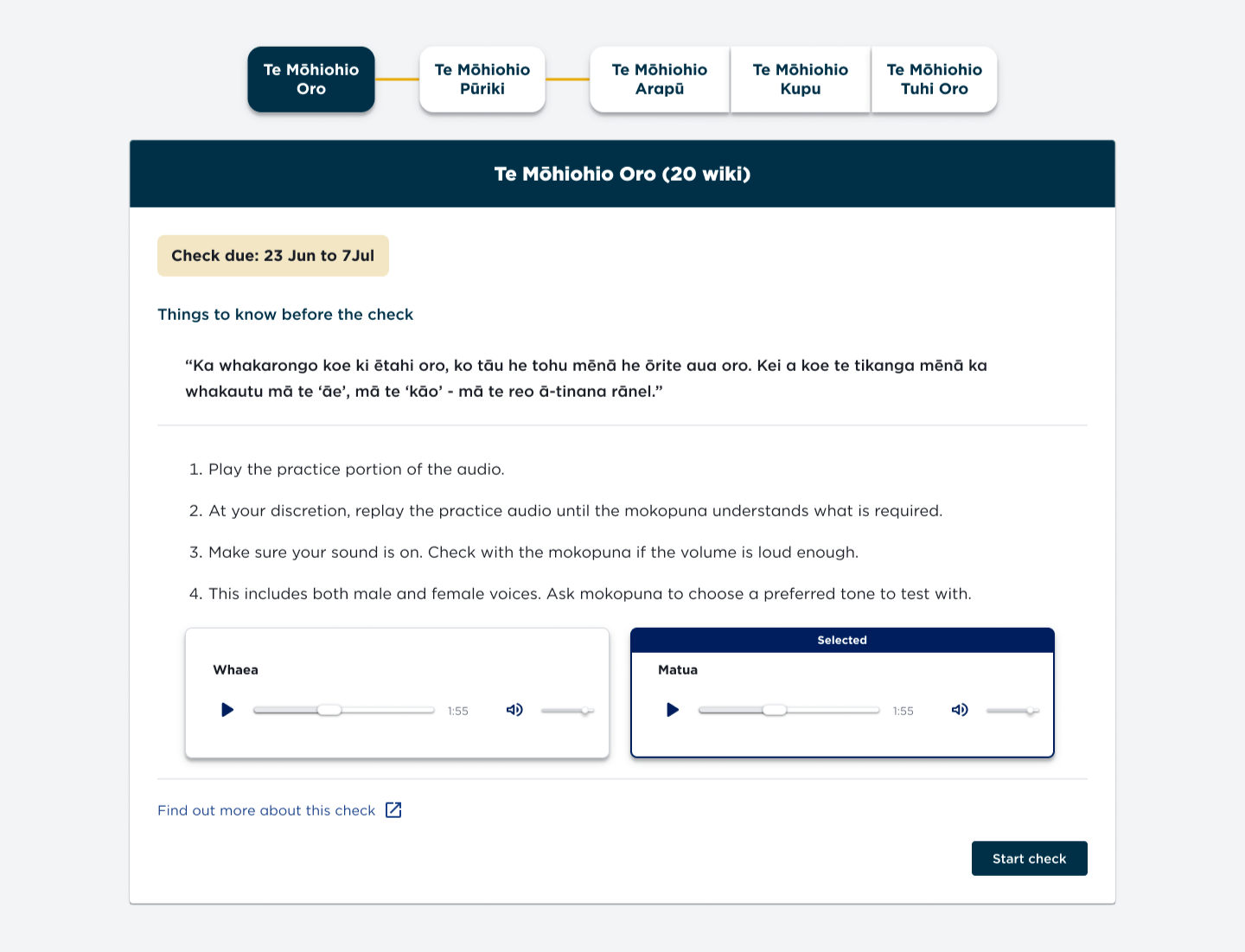
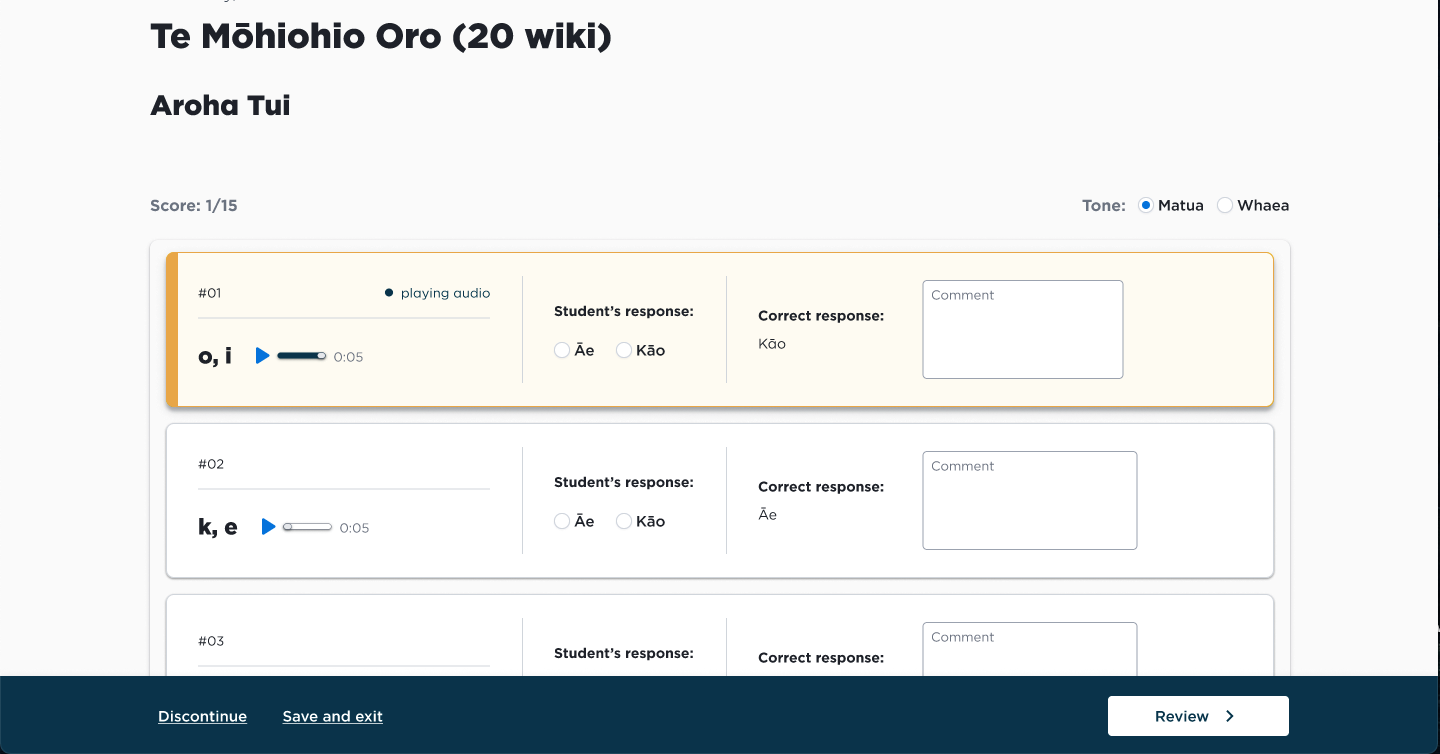
- At 20 weeks, Te Mōhiohio Oro assesses the ability to hear and distinguish correct sounds.
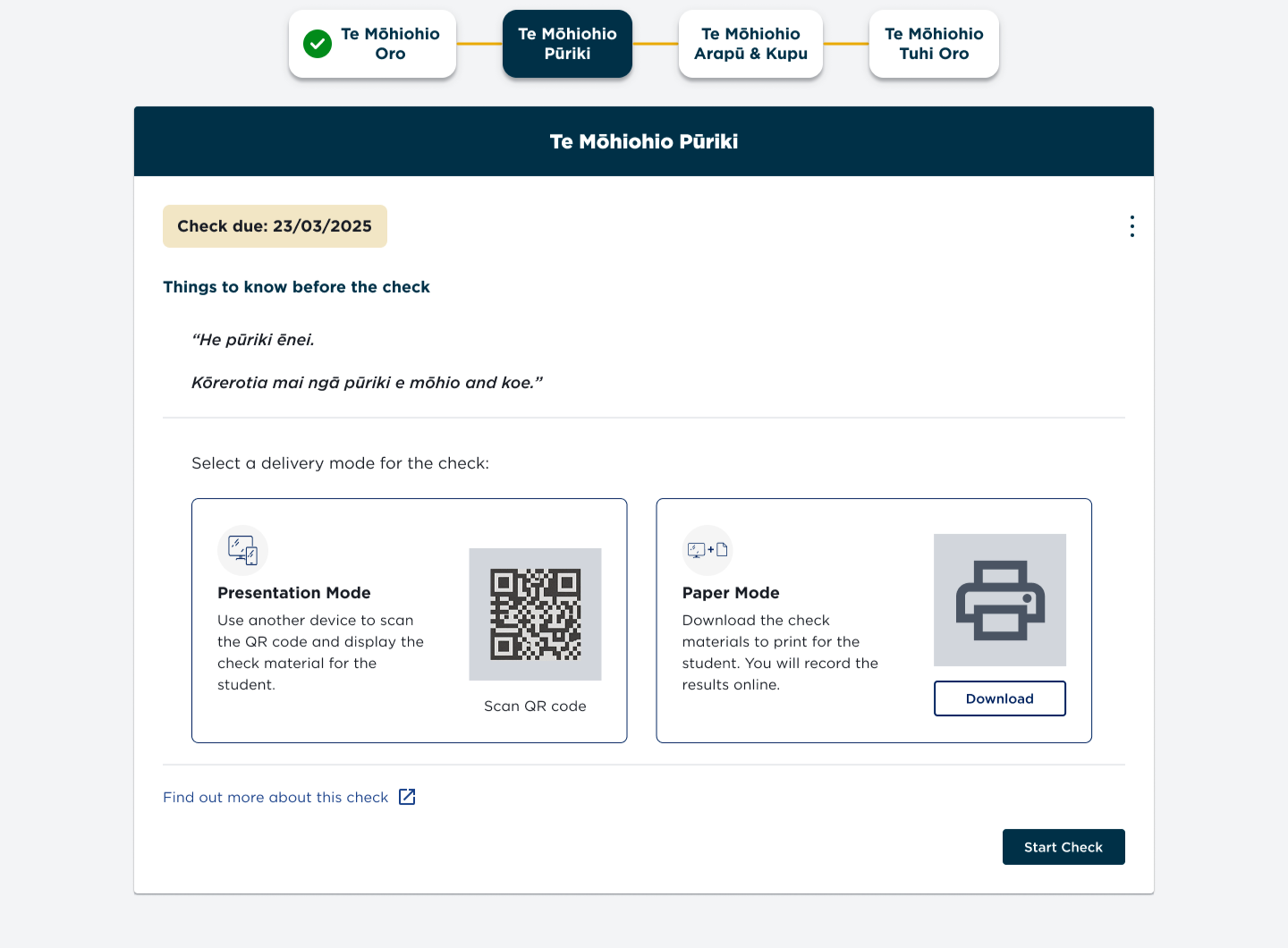
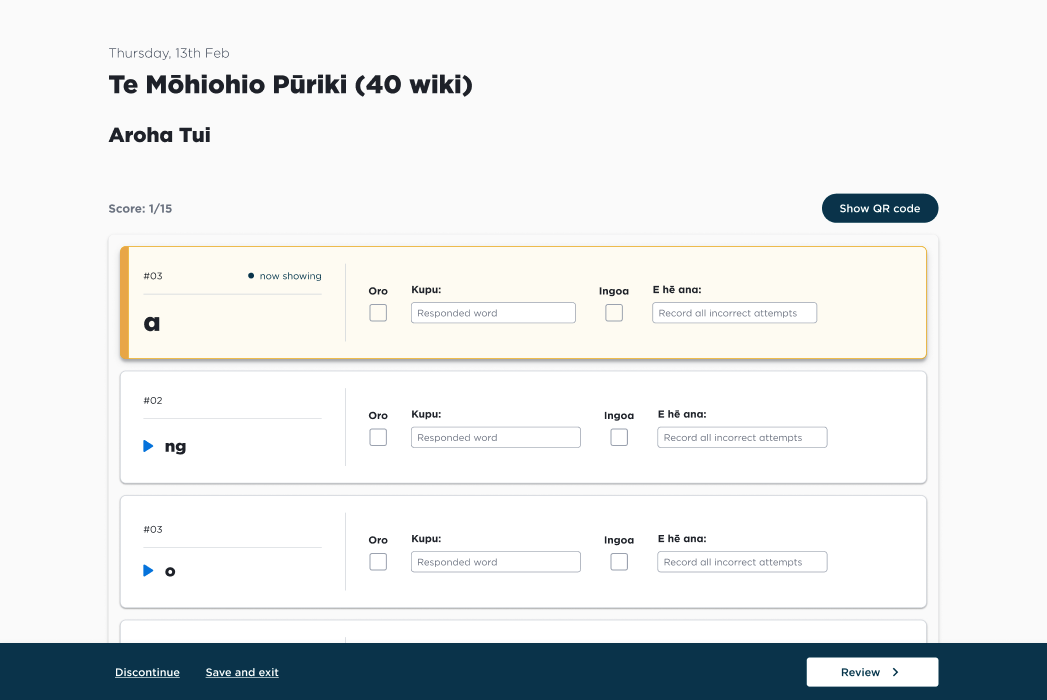
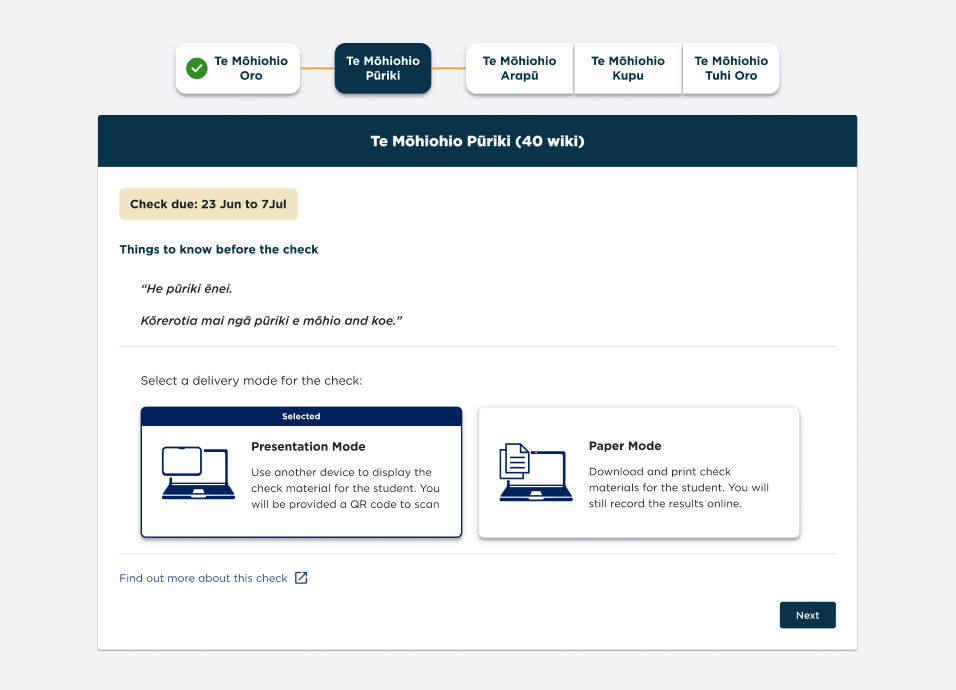
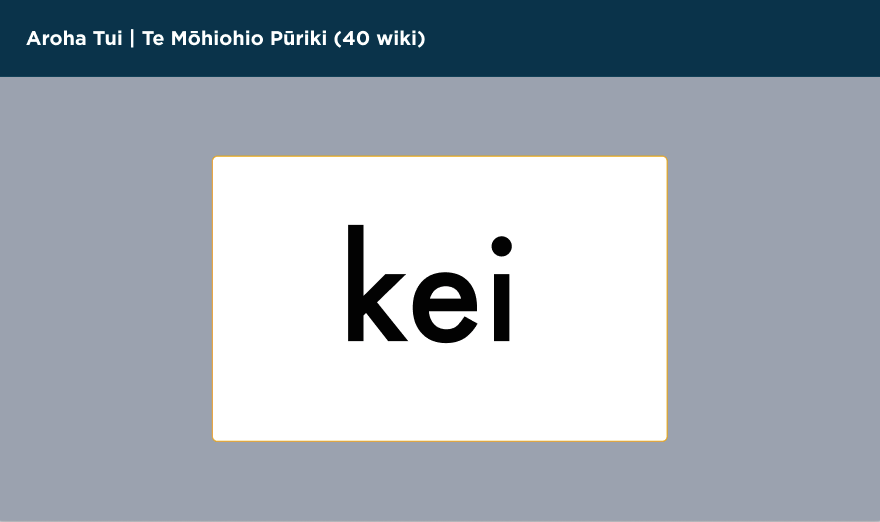
- At 40 weeks, Te Mōhiohio Pūriki is focused on identifying lower-case letters.
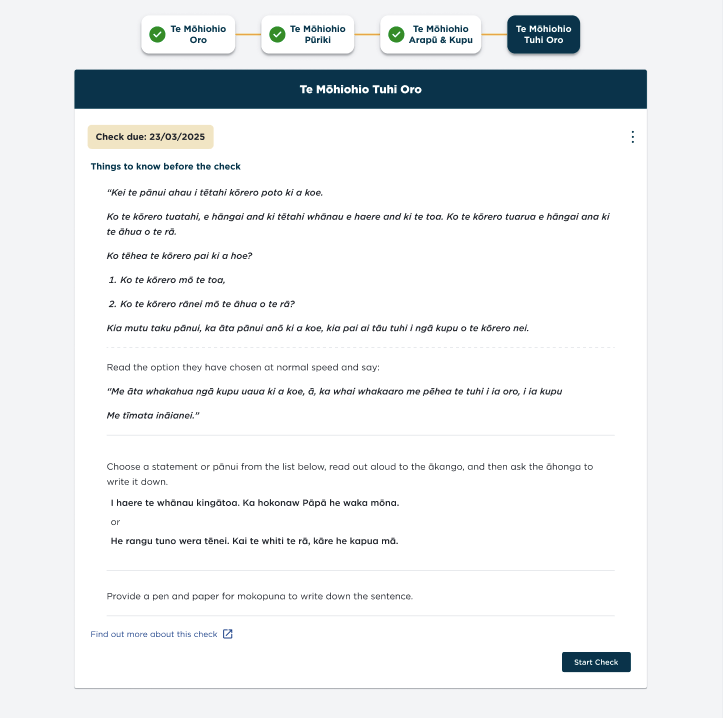
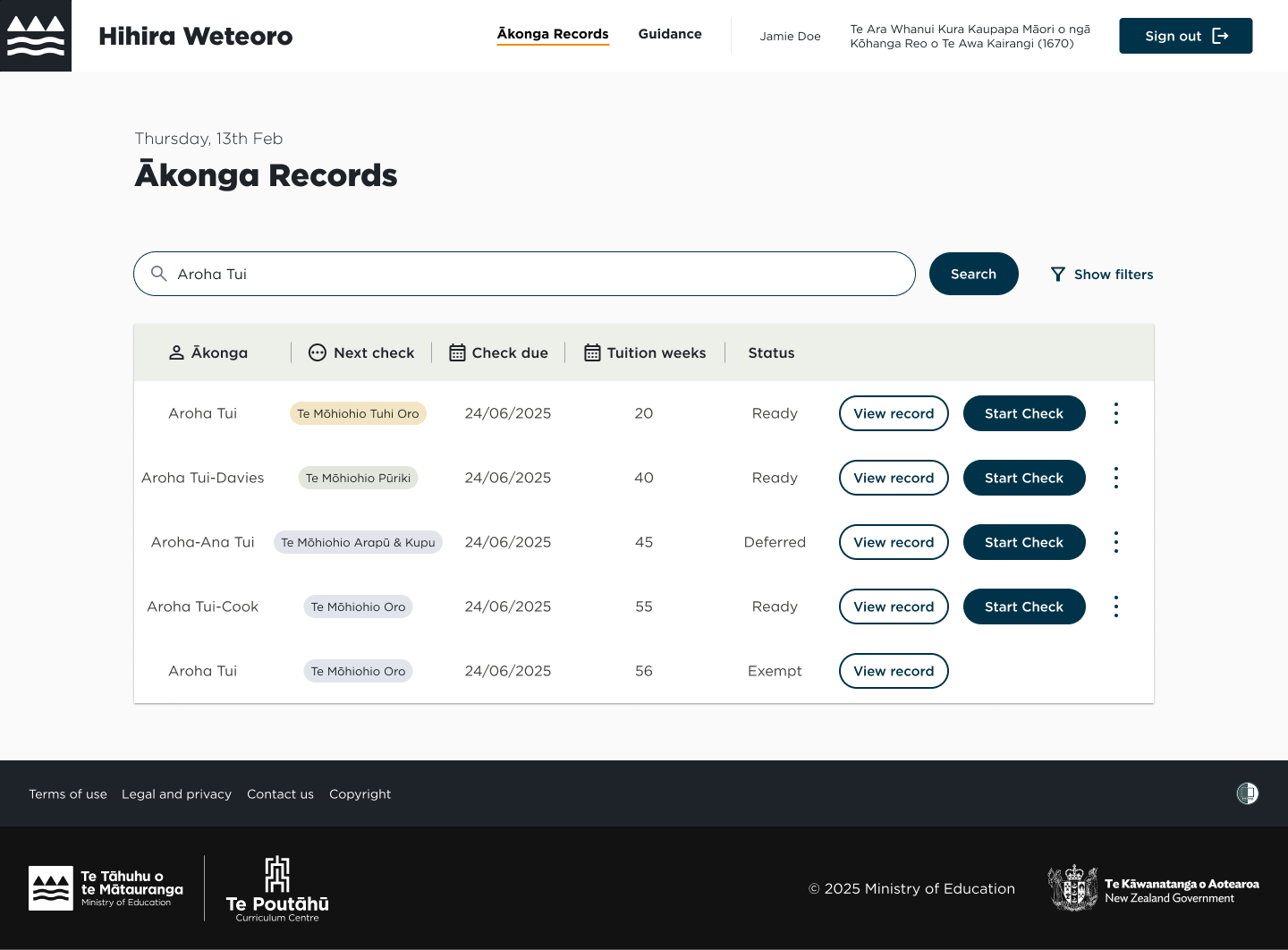
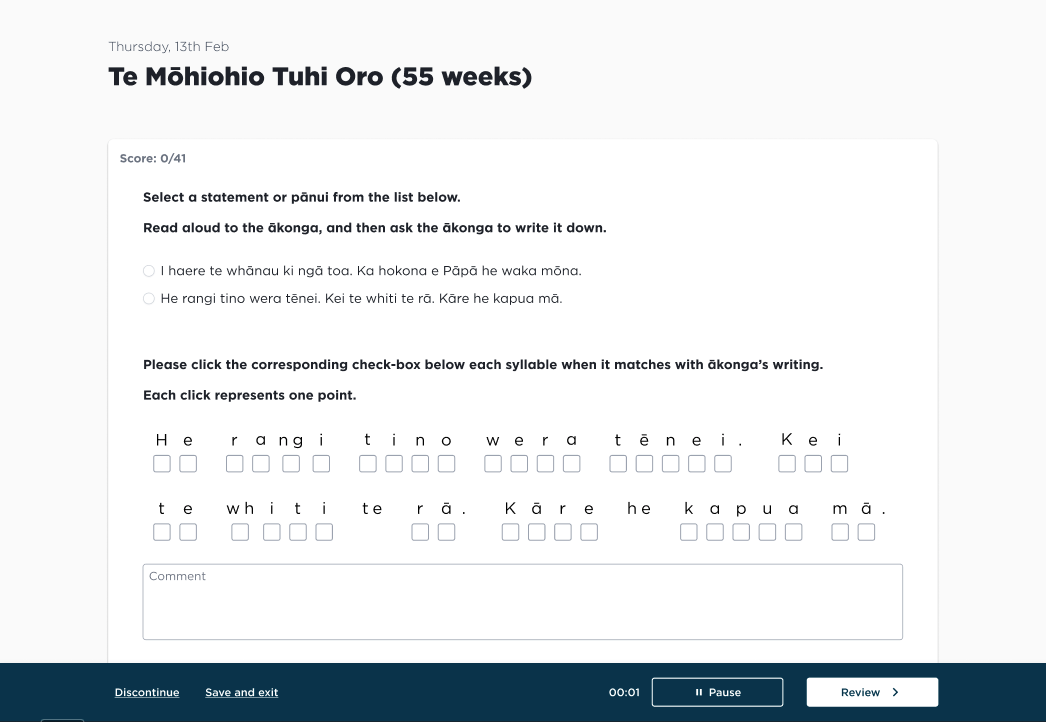
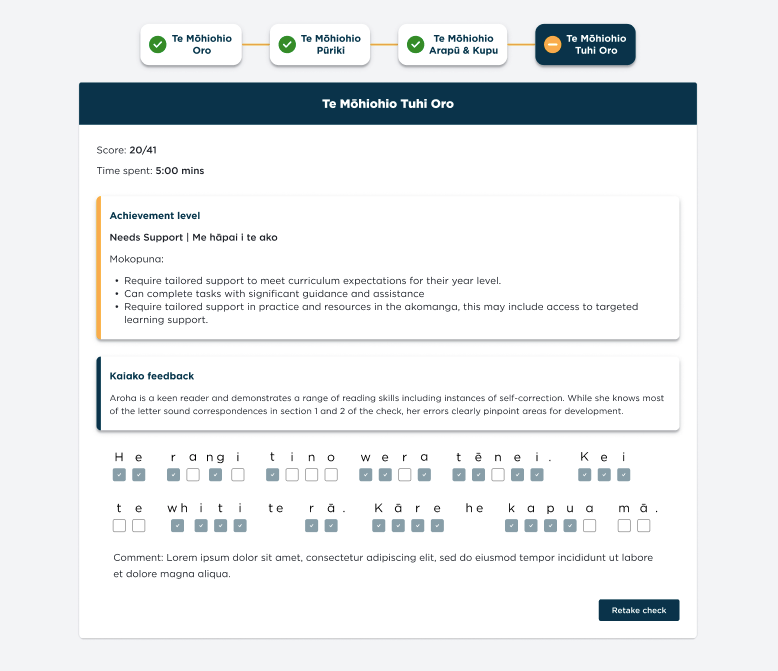
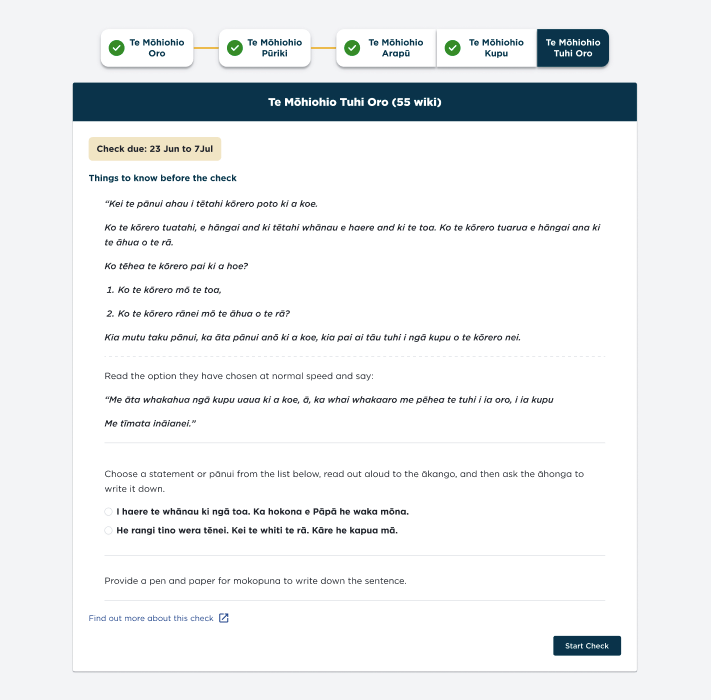
- At 55 weeks, a combination of 3 assessments includes: Te Mōhiohio Arapū, focused on identifying upper and lower case letters, Te Mōhiohio Kupu, focused on recognising words by sight, and Te Mōhiohio Tuhi Oro, focused on segmenting and writing words
Hihira Weteoro aims to provide a picture of how mokopuna are settling in at kura, which helps with understanding how the NZ education system is serving our young ākonga.
Discovery
Understanding the user and cultural context
It was important to honor Te Ao Māori when designing the user experience for Hihira Weteoro. We wanted a culturally responsive approach that goes beyond just aesthetics. Co-design sessions were set up with the aromatawai (assessment) team to understand the context in which these checks will take place.
The discovery and ongoing collaboration allowed us to understand user expectations and cultural context to shape the user experience.
Design
Prototyping
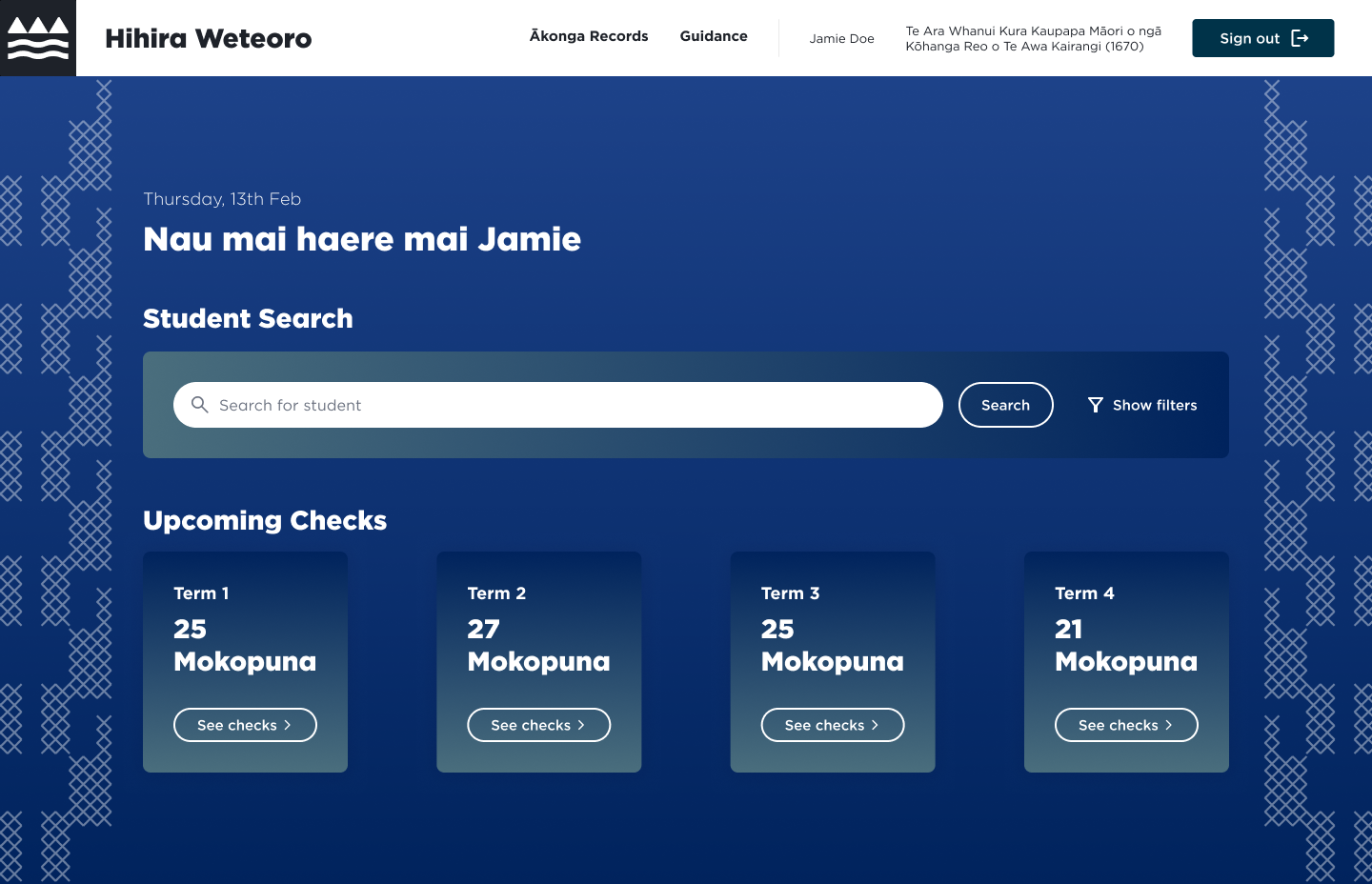
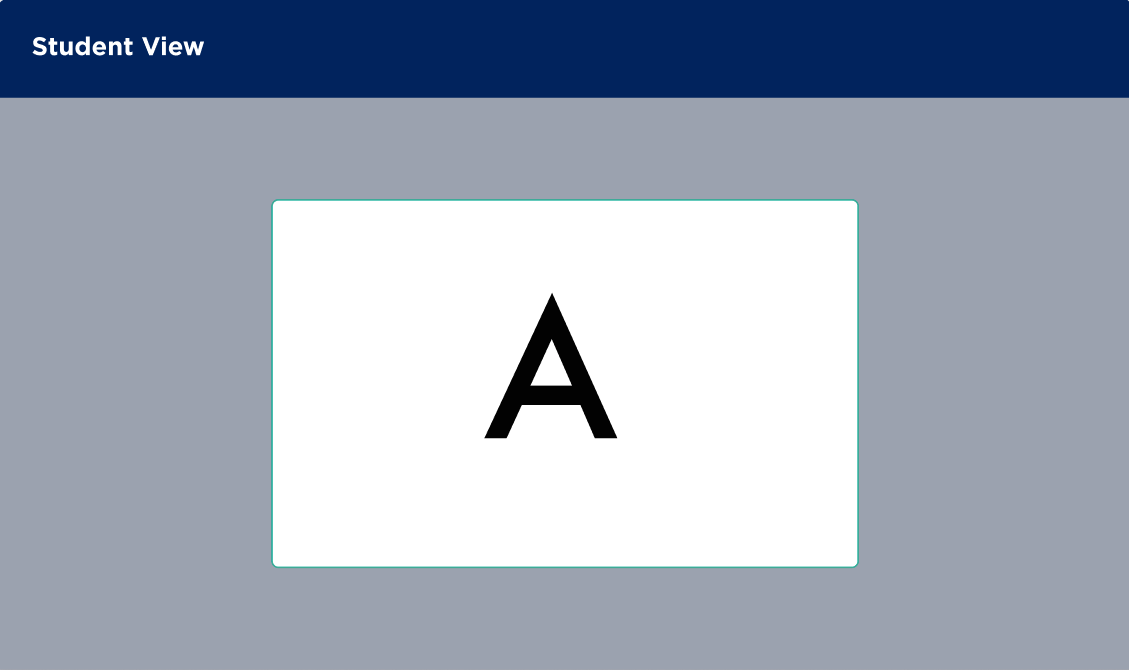
High-fidelity designs were created with aromatawai team collaboration.
User testing
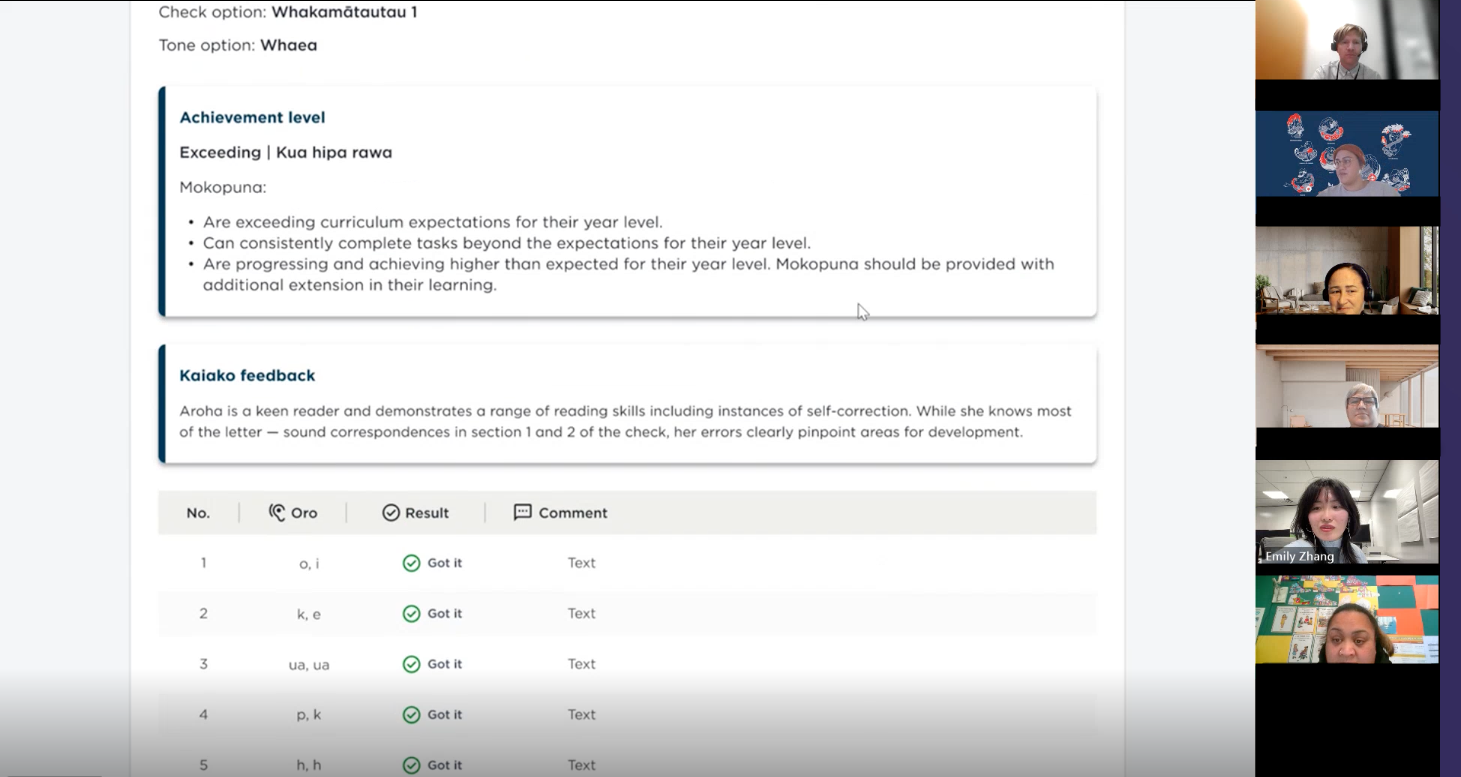
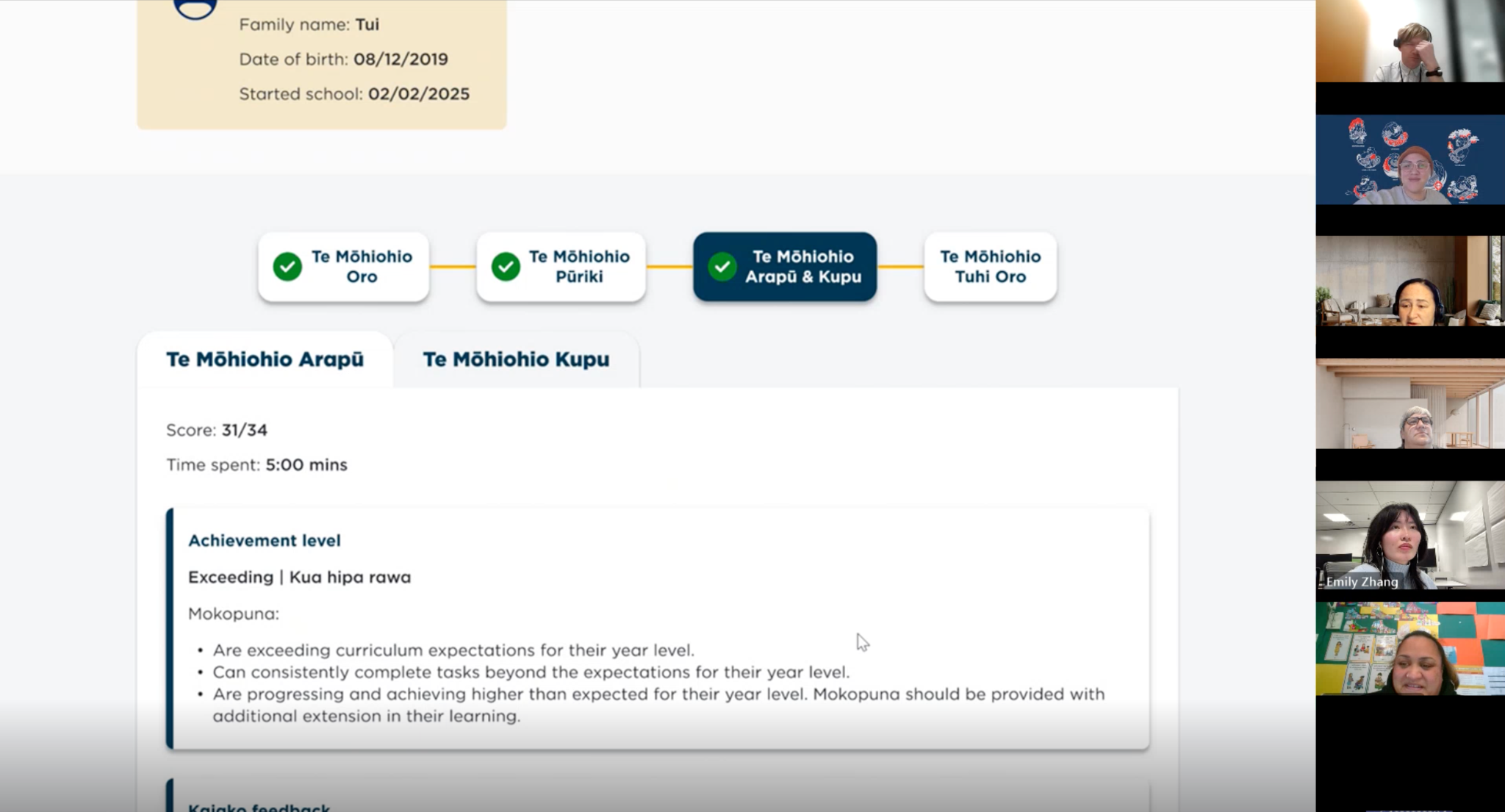
- 3 user testing sessions were conducted with teachers and curriculum leads
- 1 user test session was done in a focus group format to allow for collective feedback from the end-user and aromatawai group.
- Iterative testing: the design was tweaked after each round of testing based on user feedback, with new UX changes tested with the next round of participants.
Collaborative Note-taking on FigJam
A shared note-taking space is set up on FigJam to allow observers to record notes from the user test sessions. This allows us to capture action points and re-occurring feedback. Findings are collated into a summary report later on and presented back to team members and stakeholders.
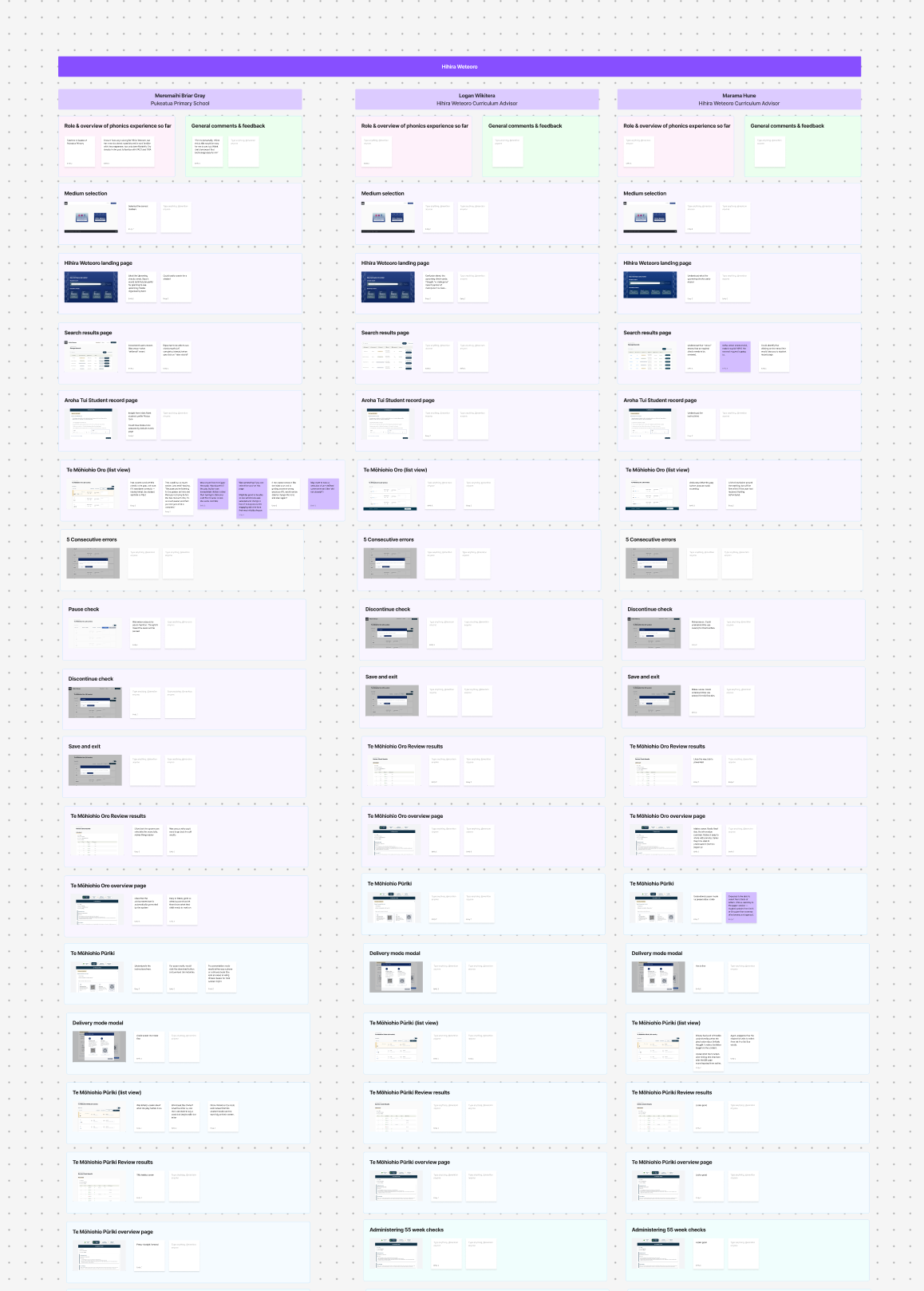
Key UX insights from user testing
- Language tweaks needed to be made, e.g. Ākonga vs Mokopuna. Guidance around Kupu check kaiako feedback would helpful as newer kaiako may not understand what the te reo words mean.
- Checks needed to have clear navigation between each step that allows for backtracking. The "save and exit" feature was found to be useful at multiple stages in the check user flow to allow for breaks between each check.
- For Oro check (listening check), users didn't intuitively know to click on the word cards to see the audio controls (this behaviour mirrors what was implemented for the "show word" functionality for Phonics english medium). We opted to just show the sudio controls on the cards without the need for users to click on them.
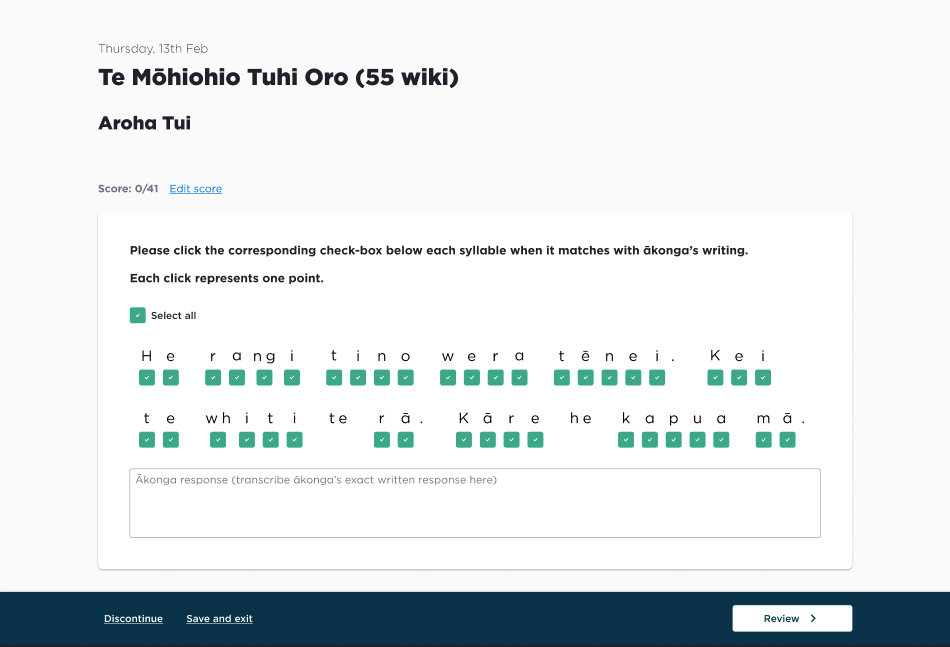
- For Tuhi Oro check (writing check), it was important that the ākonga response could be recorded. Users liked the idea of being able to attach a photo of the ākonga's handwritten response, however due to technical constraints, the solution we could implement was a free-text field where kaiako can transcribe the handwritten response.
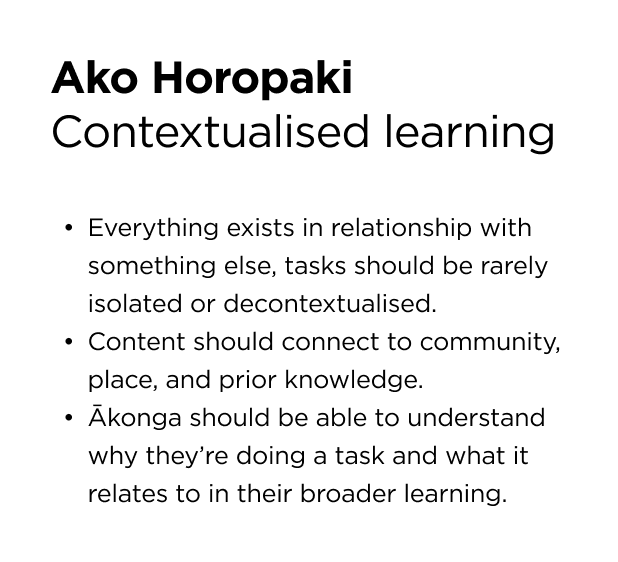
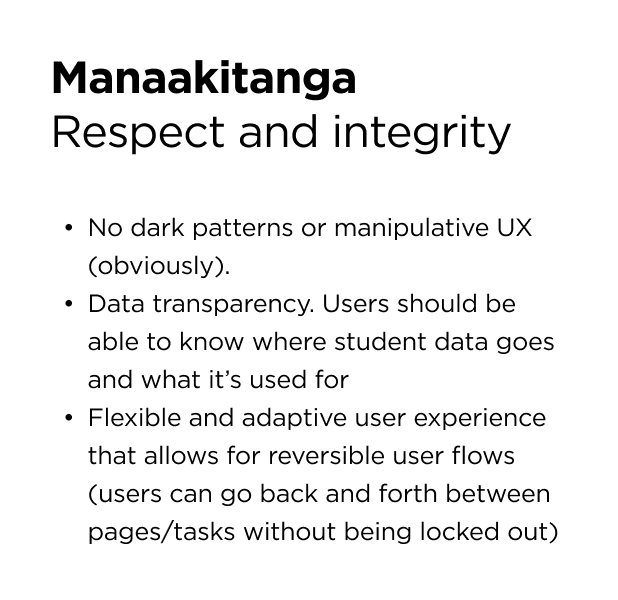
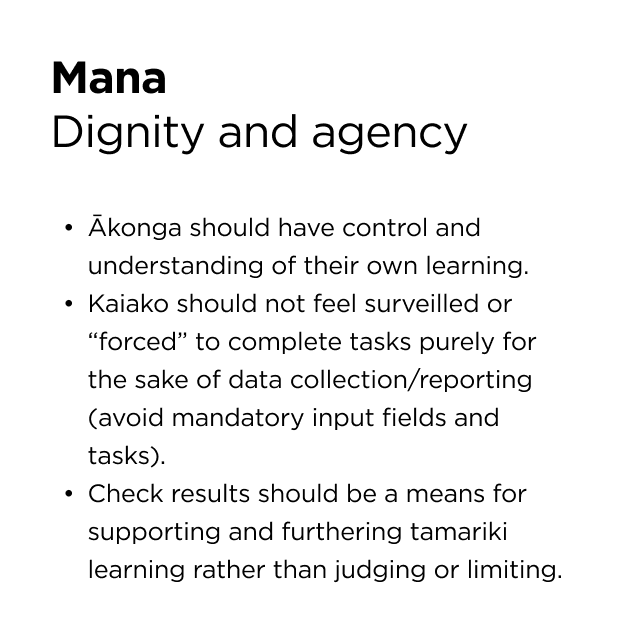
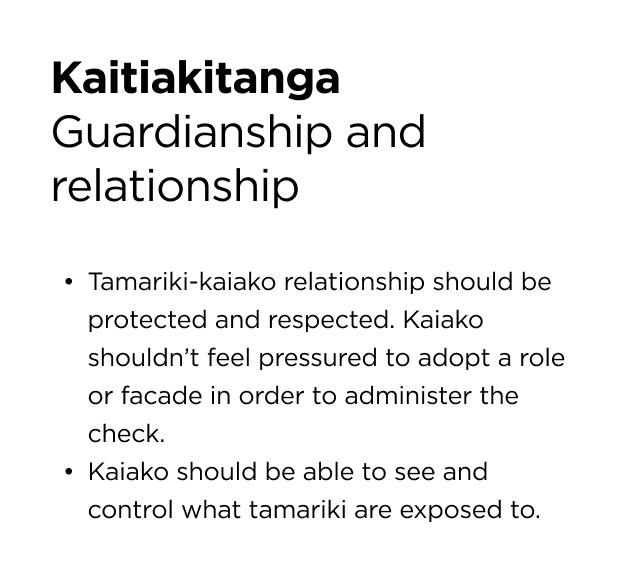
Te ao Māori principles derived from co-design sessions & user testing findings
Final Design
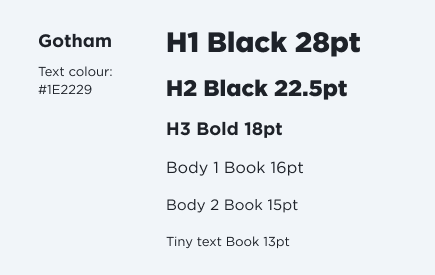
Colour and typography
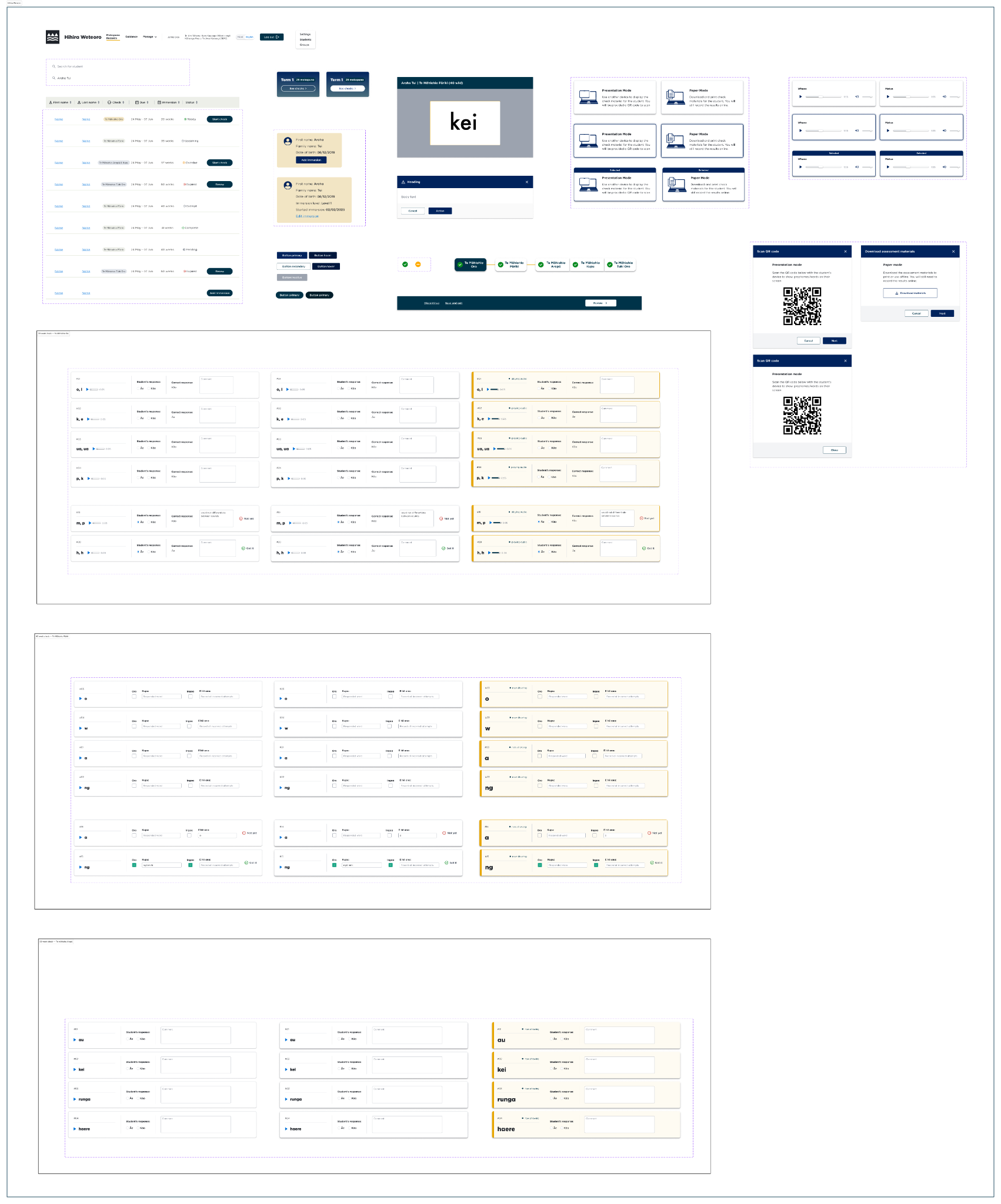
Hihira Weteoro component library
Thanks to —
Design: Emma Wang, Ramya Ravishankar
Aromatawai lead: Lisa Rangiaho
Project manager: Neil Randell
BA: Nick Oakes, Richard Warriner
Project coordinator: Tom Horton